
Supply Chain Attacks: The Hidden Risk in Your Codebase
Every modern software project relies on hundreds or thousands of external dependencies.
7 min read
03.04.2026, By Stephan Schwab

Passwords are still everywhere but passkeys, WebAuthn, and modern OAuth flows have matured enough to replace them for most use cases. A practical overview of what authentication options exist today, which ones deserve your attention, and which ones you should stop using.
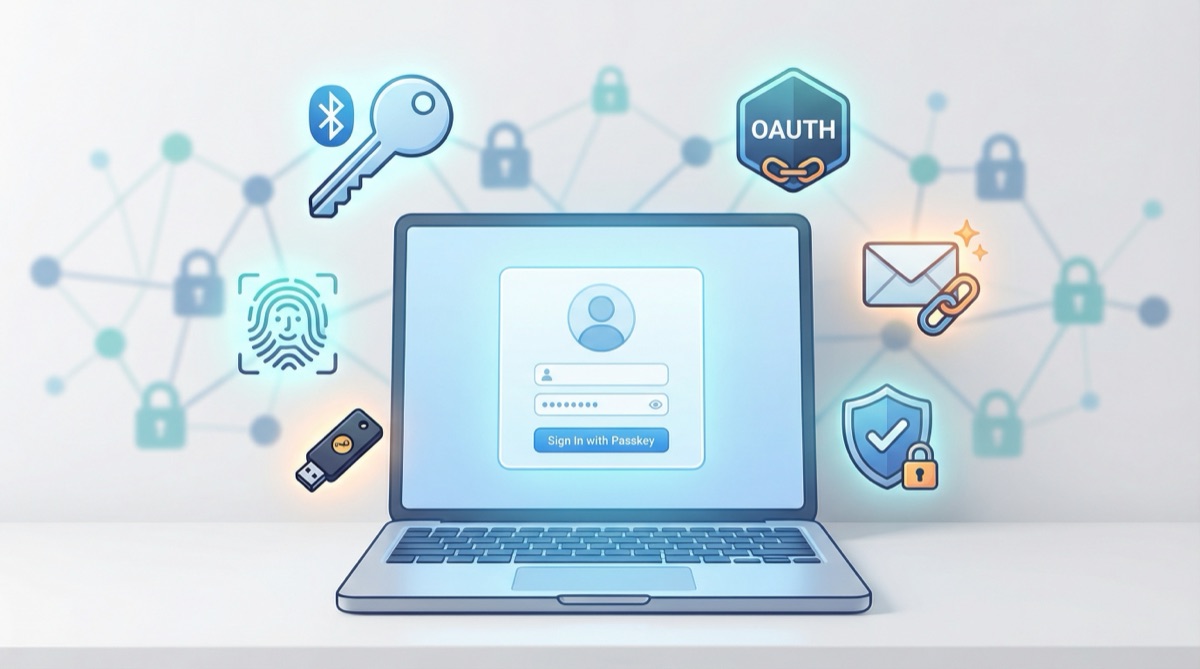
Most websites still rely on email-and-password login. Most users reuse the same password across dozens of services. Most breaches exploit exactly that. We’ve known this for twenty years and we’ve responded with password complexity rules that punish legitimate users while barely inconveniencing attackers who buy credential dumps in bulk.
The good news: viable alternatives aren’t theoretical anymore. They ship in every major browser and operating system. The bad news: most development teams haven’t caught up yet.
Here’s what’s available and what’s worth your time.
Passkeys are the single biggest improvement in web authentication since, well, ever. Built on the WebAuthn standard (now at Level 3), they replace passwords with public-key cryptography. The private key never leaves the user’s device. The server only stores a public key. Nothing to steal from your database.
Apple, Google, and Microsoft sync passkeys across devices through their respective ecosystems. A user who creates a passkey on their iPhone can use it on their Mac, their iPad, and through cross-device authentication even on a Windows machine. Android handles it through Google Password Manager. Windows uses Windows Hello.
For developers, the WebAuthn API is straightforward. You call navigator.credentials.create() for registration and navigator.credentials.get() for login. Libraries like SimpleWebAuthn (JavaScript), py_webauthn (Python), and webauthn-rs (Rust) handle the cryptographic verification on the server. The ceremony is a few API calls, not a PhD thesis.
The main challenge: users who don’t have passkey-capable devices or who switch between ecosystems. You’ll likely need a fallback option for a while yet.
Where to start: The passkeys.dev documentation is excellent. Apple’s and Google’s developer guides walk through implementation step by step. For a server-side library, SimpleWebAuthn has the best documentation in the JavaScript ecosystem.
OAuth 2.0 with OpenID Connect (OIDC) remains the standard for delegated authentication. “Sign in with Google,” “Sign in with GitHub,” and similar flows all use this. Your application never sees the user’s password. The identity provider handles authentication and gives you a token.
OIDC adds an identity layer on top of OAuth 2.0’s authorization framework. You get an ID token (a signed JWT) that tells you who the user is, plus an access token for API calls. The Authorization Code flow with PKCE is the recommended approach for web applications. The implicit flow is deprecated. Don’t use it.
For most web applications, social login through OIDC covers a significant portion of users. Google alone handles authentication for billions. GitHub works well for developer-facing products. Apple Sign In is required for iOS apps that offer third-party login.
The downside: you depend on external providers. If Google’s auth service has an outage, your users can’t log in. You also inherit their privacy policies and any changes they make to their authentication requirements.
Where to start: Auth0, Clerk, and Supabase Auth provide managed OIDC flows that save you from implementing the protocol yourself. If you want to run your own, Keycloak and Authentik are solid open-source options.
Magic links send a one-time login URL to the user’s email. Click the link, you’re in. No password to remember, no password to steal. Slack popularized this pattern years ago.
Implementation is simple: generate a cryptographically random token, store it with an expiration time (10 to 15 minutes), email it as a link, and when the user clicks it, validate the token and create a session. Invalidate the token immediately after use.
The experience is good for applications users visit occasionally. For daily-use applications, the constant round-trip to email becomes friction. Combine magic links with long-lived sessions and “remember this device” cookies to reduce that annoyance.
Security depends entirely on email security. If someone can access the user’s inbox, they can log in. That’s a real risk, but it’s no worse than password reset flows, which every password-based system already has.
MFA should be the default, not the exception. Layer something the user knows (password or PIN) with something they have (device) or something they are (biometric).
Options, ranked roughly by security:
If your application handles money, health data, or anything users would be upset to lose, require MFA. Don’t just offer it. Require it.
Where to start: The TOTP standard is defined in RFC 6238. Libraries exist for every language. For hardware key support, the same WebAuthn infrastructure that powers passkeys handles FIDO2 security keys.
After authentication, you need to keep the user logged in. Two approaches:
Server-side sessions store session data on the server (in memory, Redis, or a database). The client gets an opaque session ID in a cookie. Simple, revocable, battle-tested. When a user logs out or you need to invalidate a session, you delete it from the store. Done.
JWTs encode session data into a signed token stored client-side. No server-side state. The token is self-contained. Sounds elegant until you need to revoke one. JWTs are valid until they expire. If a user’s account is compromised and you need to terminate their session immediately, you’re stuck building a token blocklist, which is just a server-side session store with extra steps.
For most web applications: use server-side sessions. They’re simpler, they’re revocable, and they don’t require you to solve problems that only exist because you chose JWTs. Save JWTs for API-to-API communication where statelessness actually matters.
For machine-to-machine communication and API access:
Authorization header.API keys are fine for most internal services and developer APIs. Just make sure they’re scoped, rotatable, and never committed to version control. (Check your git history. Right now. You’ll probably find one.)
Some practices need to die:
For a new web application in 2026, a reasonable default:
This combination covers most users, resists phishing, and doesn’t require you to build a password management system.
Authentication isn’t the most exciting part of building a product. But it’s the part that makes headlines when it fails. Spend the time to get it right. The tools are better than they’ve ever been.
Tell me what is happening. I listen, ask a few practical questions, and reflect back what I see: where the risk may sit, what may be blocking delivery, and what looks worth checking next. No pitch, no obligation. Confidential and direct.
Talk it through. Practical reflection, no pitch.
Start a ConversationTelenovelas show what we can't say in client meetings. The drama is heightened, but the patterns are real.
 Three Ways to Understand a Country
Stefan drives Sophie to the Pacific for two days. The beach is big enough to make her feel appropriately small. Back at the finca the rain keeps th...
 The Resignations
Nathan Cole resigns on a Monday morning with two sentences and no argument left in his body. By Tuesday his desk is empty and the company's institu...
Embedded into your team as an active contributor, reducing delivery friction and helping important work move cleanly.
Peer-style technical assessments before far-reaching decisions; reduce architectural and product risk early.
Ship working software to real users earlier. Measure impact and adapt based on evidence rather than assumption.
High quality, maintainable software. Short-term augmentation that leaves lasting capability in your own team.
A senior developer for your team
Our Embedded Delivery Partner writes production code with your team, improves the pipeline, and accelerates delivery. 60-70% coding, 30-40% coaching. A temporary teammate who ships from day one.